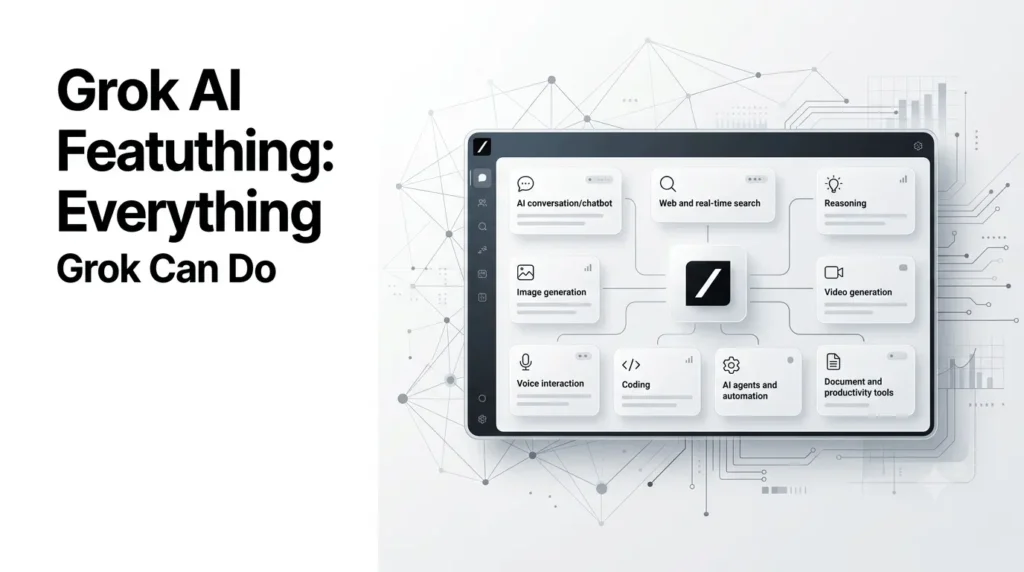
Grok has grown well beyond a chatbot that answers questions. Grok ecosystem includes advanced reasoning, real-time web and X search, image and video generation, voice conversations, coding agents, document creation, app integrations, scheduled automations, and autonomous agent capabilities.
The latest flagship model is Grok 4.6, released in August 2026. xAI describes it as a model focused on long-running agents, interactive work, visual tasks, coding, research, and knowledge work.
This guide explains the most important Grok AI features, what they actually do, who they are useful for, and where Grok currently fits into the AI market.
Quick Summary
- Grok AI has evolved into a full AI platform covering chat, reasoning, search, coding, creativity, and automation.
- Grok 4.6 is designed for advanced reasoning, long-running agents, coding, research, and complex workflows.
- Grok can perform real-time web and X searches to help answer questions using current information.
- Grok Imagine supports AI image and video generation, editing, and multimodal creative workflows.
- Grok Voice enables natural voice conversations and multimodal interactions.
- Developers can use Grok Build, APIs, tool calling, and AI agents for software and automation.
- Skills and Connectors allow Grok to work with reusable workflows and external apps such as Google Workspace, Microsoft tools, GitHub, and Notion.
- Automations can handle recurring research, monitoring, reporting, and other scheduled tasks.
- Overall, Grok is moving beyond a chatbot toward an AI assistant capable of creating, researching, coding, and completing multi-step tasks.
What is Grok?
Grok is an AI assistant developed by xAI. It is available through Grok’s web and mobile applications and is also integrated into X.
Unlike a basic question-answering chatbot, Grok combines language-model capabilities with tools such as web search, X search, code execution, multimodal understanding, image generation, voice interaction, and agentic workflows.
The platform has also expanded into productivity and automation. Users can now connect Grok to services such as Google Workspace, Microsoft tools, GitHub, Notion, Linear, OneDrive, Outlook, and SharePoint.
In practical terms, Grok can now help with:
- Researching current information
- Analyzing documents and data
- Writing and rewriting content
- Coding and debugging
- Generating images
- Editing images
- Generating videos
- Holding voice conversations
- Analyzing visual information
- Creating documents, presentations, spreadsheets, and PDFs
- Connecting to external applications
- Running scheduled tasks
- Building software and websites
- Running longer autonomous workflows
What Are the Main Grok AI Features?
The most important Grok AI features in 2026 include:
| Feature | What Grok can do |
|---|---|
| AI chat | Answer questions, explain concepts and generate content |
| Reasoning | Work through complex problems and multi-step tasks |
| Web search | Find and synthesize current information |
| X search | Analyze information and discussions from X |
| Vision | Understand uploaded images and visual information |
| Voice | Hold natural spoken conversations |
| Image generation | Create and edit images |
| Video generation | Generate and transform video content |
| Coding | Write, explain, debug and modify code |
| Grok Build | Work as an AI coding and development agent |
| Skills | Save reusable expertise and workflows |
| Connectors | Work with external apps and company data |
| Automations | Run recurring or triggered tasks |
| Documents | Create and edit Word, PDF and other files |
| Presentations | Create and modify slide decks |
| Spreadsheets | Generate and analyze spreadsheet data |
| Build Mode | Create websites, apps, games and interactive experiences |
| Agents | Perform longer-running autonomous tasks |
The exact availability of individual capabilities can vary by model, account, subscription, platform, and rollout stage.
Grok 4.6: The Current Flagship
Grok 4.6 is the latest major model in the Grok family.
xAI introduced Grok 4.6 on August 12, 2026, positioning it as an evolution of Grok 4.5 with particular emphasis on long-running agents and ambitious interactive and visual work.
Rather than focusing only on answering individual prompts, Grok 4.6 is designed to handle tasks that require multiple steps.
For example, a request such as:
Research five competitors, compare their pricing, identify the major differences, and prepare a report.
is increasingly suited to an agentic system because the AI can break the task into research, analysis, synthesis, and output stages.
Grok model evolution
| Model | Major focus |
|---|---|
| Grok 3 | Major reasoning and intelligence improvements |
| Grok 4 | Advanced reasoning, native tool use and real-time search |
| Grok 4.1 | Improved usability, personality and factual reliability |
| Grok 4.1 Fast | Fast, cost-efficient reasoning and agentic tool use |
| Grok 4.5 | Coding, agentic software engineering and knowledge work |
| Grok 4.6 | Long-running agents, coding, knowledge work and interactive/visual tasks |
Grok 4 introduced native tool use and real-time search, while Grok 4.1 focused heavily on real-world usability and reducing hallucinations.
Grok 4.5 subsequently expanded the model’s focus toward coding and agentic workflows. The current xAI documentation lists Grok 4.5 as a text-and-image model with reasoning and function-calling capabilities and a 500,000-token context window for the API.
Can Grok Search the Web in Real Time?
Yes. Real-time web search is one of Grok’s most useful capabilities.
Instead of relying exclusively on information encoded during model training, Grok can use search tools to retrieve current information.
This is particularly useful for questions about:
- Current events
- Technology releases
- Product updates
- Companies
- Markets
- Sports
- Recent news
- Current trends
- Recently published information
Grok 4 was explicitly designed with native tool use and real-time search integration. xAI says the model can choose search queries and investigate information across the web when answering research-oriented questions.
Grok and X search
Grok also has a major advantage when users want information from X.
Its tool ecosystem can search X alongside the wider internet, making it useful for understanding:
- Breaking discussions
- Public reactions
- Trending topics
- Posts from companies and individuals
- Real-time conversations
However, information found on social media should still be evaluated critically. A real-time result is not automatically a reliable result.
Grok Reasoning
Grok’s reasoning capabilities allow it to spend more computational effort working through complex problems before producing an answer.
This is particularly useful for:
- Mathematics
- Programming
- Logic problems
- Research
- Data analysis
- Multi-step planning
- Technical questions
- Complex decision-making
Grok 4 was built around large-scale reinforcement learning, and xAI positioned reasoning as one of its central improvements over previous generations.
The important distinction is that reasoning does not mean the model is always correct. It can still make incorrect assumptions or produce inaccurate conclusions, particularly when the underlying information is incomplete.
Grok Vision: Understanding Images
Grok can analyze visual information rather than working exclusively with text.
Users can provide images and ask Grok to:
- Describe what’s in an image
- Extract information
- Analyze charts
- Explain diagrams
- Read visual content
- Identify objects
- Discuss screenshots
- Analyze photographs
- Help troubleshoot visual problems
Grok 4 also introduced a more advanced multimodal experience through Voice Mode, where users could enable a camera and have Grok analyze what the camera sees during a conversation.
For marketers and creators, this makes Grok useful for analyzing advertisements, product images, social-media graphics, screenshots, and visual references.
Grok Voice Mode
Voice interaction has become another major part of the Grok ecosystem.
Grok Voice lets users communicate naturally using spoken conversation rather than typing every prompt.
The capability has continued to evolve rapidly. In July 2026, xAI introduced Grok Voice Think Fast 2.0, describing it as its most capable speech-to-speech voice model at that point. The model combines speech processing with reasoning and tool use.
Grok Voice can be useful for:
- Hands-free questions
- Brainstorming
- Language practice
- Explanations
- Conversational assistance
- Customer-service applications
- Voice agents
xAI also introduced a larger collection of multilingual voices in 2026, with support for more than 25 languages in the Grok Voice ecosystem.
Grok Can See Through Your Camera
One of the more interesting multimodal Grok features is visual interaction during voice conversations.
With camera input enabled, Grok can analyze what the user points the camera toward and discuss it in real time.
For example, a user could potentially point the camera toward:
- A product
- A diagram
- A household object
- A sign
- A document
- A technical setup
And ask Grok questions about what it sees.
This combines voice, vision, and conversational reasoning into a single workflow.
Grok AI Image Generation
Grok has also become a serious image-generation platform through Grok Imagine.
The latest major image-generation release is Imagine Image 2.0, announced in August 2026.
xAI says Image 2.0 is designed for precise image generation and editing, with stronger instruction following, typography, layout control, and preservation of elements during iterative edits.
What can Grok Imagine do?
Grok Imagine can be used for:
- Text-to-image generation
- Image editing
- Region-based editing
- Background removal
- Multi-image reference workflows
- Image resizing
- Creative compositions
- Product visuals
- Editorial graphics
- Social-media assets
- Concept art
One particularly useful feature is multi-reference editing, which allows up to five input images in a single generation according to xAI’s announcement.
Image editing
Grok’s image capabilities are not limited to creating an image from scratch.
Image 2.0 adds tools designed for iterative editing, including targeted regional edits, segmentation, background removal, and smart resizing.
That makes it more practical for workflows where the user wants to modify an existing image rather than repeatedly regenerate an entire scene.
Grok AI Video Generation
Grok Imagine has expanded into video generation as well.
Imagine Video 1.5 is designed for image-to-video generation and improves motion, physics, audio, and speech compared with its predecessor. xAI made Video 1.5 generally available through its API and also introduced a faster version for Grok’s consumer applications.
The newer Imagine Video 1.5 with References adds text, image, and voice references and supports generation up to 1080p, according to xAI’s July 2026 announcement.
This makes Grok increasingly relevant to:
- Video creators
- Social-media marketers
- Advertisers
- Storytellers
- Product marketers
- Creative teams
Grok Coding Features
Grok can write and explain code, but its coding ecosystem has gone beyond simple code generation.
Developers can use Grok for:
- Writing functions
- Debugging
- Explaining code
- Refactoring
- Generating scripts
- Reviewing code
- Working with repositories
- Planning software changes
- Automating development tasks
Grok 4.5 was specifically positioned as a model for coding, agentic software engineering, and workflow tasks. Its API supports function calling, structured outputs, and reasoning.
What Is Grok Build?
Grok Build is xAI’s coding-agent environment for more complex software development.
Rather than asking Grok to produce a single code snippet, users can give it larger development tasks.
Grok Build supports planning, reviewing, approving changes, and delegating larger jobs to specialized subagents. It also supports headless operation and agent orchestration workflows.
By August 2026, Grok Build had expanded beyond its initial terminal-focused beta to web and mobile.
What can Grok Build create?
Depending on the workflow and available features, Grok Build can help create:
- Websites
- Web applications
- Games
- Interactive dashboards
- Software projects
- Scripts
- Development workflows
xAI also introduced Build Mode, which focuses on creating websites, apps, games, and interactive dashboards.
Grok Build Workflows and Autonomous Coding
Grok Build has also moved toward multi-agent workflows.
xAI introduced workflows that allow Grok Build to orchestrate tasks across many parallel agents, verify their results, and return a consolidated outcome.
For developers, this changes the role of AI from:
"Write this code."
to:
"Work through this development task and return a completed result."
That is a much more agent-oriented approach to software development.
Grok Skills
Skills allow Grok to retain reusable instructions, preferences, formatting rules, and workflows.
xAI introduced Skills in May 2026 and described them as persistent expertise that can be used across conversations.
Built-in Skills include capabilities for:
- Word documents
- Presentations
- Spreadsheets
- PDFs
- Custom workflows
Users can also create their own Skills through conversation.
For example, a marketer could create a reusable Skill that instructs Grok to:
- Analyze a keyword.
- Research competing pages.
- Create a content outline.
- Follow a preferred writing format.
- Produce metadata.
- Apply a consistent editorial style.
The benefit is that the workflow does not have to be recreated manually in every conversation.
Grok Can Create Documents, Presentations and Spreadsheets
Grok is increasingly becoming a productivity tool rather than just a chatbot.
According to xAI, its Skills system can generate and edit:
- DOCX documents
- PowerPoint presentations
- Spreadsheets
- PDFs
It can also work with uploaded files and restructure or expand existing material.
This is useful for:
- Business reports
- Proposals
- Resumes
- Invoices
- Research reports
- Budgets
- Presentations
- Data analysis
Grok Connectors
Connectors allow Grok to interact with external applications and data sources.
xAI introduced Connectors for web, iOS, and Android in May 2026.
Supported integrations announced by xAI include:
- Google Workspace
- Microsoft Outlook
- OneDrive
- SharePoint
- Notion
- GitHub
- Linear
Depending on the connector and permissions, Grok can search, analyze, create, edit, or manage information within these services.
For example, instead of asking:
“Summarize these emails.”
and manually pasting them into an AI chatbot, a connected Grok workflow can access the relevant inbox directly.
Grok and Google Workspace
Grok can also work directly with Google Workspace.
xAI announced a Grok add-on for Google Workspace that brings Grok into applications such as Docs, Sheets, and Slides.
This can reduce the need to move information between applications.
For example, a user working inside a spreadsheet can use AI assistance without leaving the spreadsheet environment.
Grok for Microsoft Office
Grok has also expanded into Microsoft’s productivity ecosystem.
Grok for Word
The Grok Word add-in can turn notes into structured documents, rewrite text, improve clarity, research information from the web and X, and work with connected sources such as SharePoint or Google Drive.
Grok for PowerPoint
Grok for PowerPoint can generate presentations from outlines, research information, create diagrams and images, restructure sections, and improve slide narratives.
Grok for Excel
The Grok Excel integration lets users ask questions in natural language, generate formulas, and run scenarios without leaving the workbook.
Grok for Outlook
The Outlook integration can summarize email threads, draft replies, and help organize inbox information.
Together, these integrations show where Grok is heading: the AI becomes an interface for working with the applications people already use.
Grok Automations
One of the biggest additions to Grok is Automations.
Automations allow users to describe a task once and have Grok execute it repeatedly on a schedule or after a specified email trigger.
Examples include:
- Generate a morning news briefing
- Monitor a topic
- Check an inbox
- Review incoming emails
- Create recurring reports
- Track specific information
- Run a weekly research task
Automations can run daily, weekly, monthly, yearly, or based on incoming email conditions. Users can also manually trigger a run and inspect its history.
This is an important distinction between an AI chatbot and an AI assistant that can perform work repeatedly.
Grok Agents and Long-Running Tasks
The broader direction of Grok is increasingly agentic.
An ordinary chatbot usually follows this pattern:
Prompt → Response
An agent can operate more like:
Goal → Plan → Search → Use tools → Analyze → Execute → Verify → Report
Grok 4.6 was specifically introduced with an emphasis on long-running agents.
This can be useful when the task requires several connected operations rather than one answer.
Examples of agentic Grok workflows
A business user might ask Grok to:
- Research competitors.
- Compare their products.
- Analyze recent announcements.
- Prepare a presentation.
- Store the final document.
A developer might ask it to:
- Inspect a repository.
- Identify a bug.
- Plan a fix.
- Modify the relevant files.
- Run tests.
- Review the changes.
The actual capabilities depend on the tools, permissions, model, and environment available to Grok.
Grok Bot
xAI has also introduced Grok Bot, described as a team of always-on agents that have their own computer and can work inside tools and applications.
This pushes the concept of AI agents further toward persistent digital workers.
Instead of interacting with Grok only when a user opens a chat, agent-style systems can potentially continue working on tasks in the background.
Grok for Research
Grok is particularly useful for research because several capabilities can work together:
- Web search
- X search
- Reasoning
- File analysis
- Connectors
- Long context
- Agentic workflows
Grok 4.1 Fast, for example, was released with an Agent Tools API supporting web search, X search, code execution, file search, and MCP tools. xAI positioned it specifically for agentic search and real-world tool use.
This combination makes Grok useful for tasks such as:
Research → verify → analyze → synthesize → create output
rather than simply generating an answer from memory.
Grok for Marketers
Grok can support several marketing workflows.
Content research
Use web and X search to identify:
- Current trends
- Product announcements
- Competitor developments
- Customer discussions
- Industry news
Content creation
Grok can help produce:
- Blog outlines
- Articles
- Social posts
- Ad copy
- Email drafts
- Product descriptions
Visual marketing
Grok Imagine can generate and edit:
- Social graphics
- Product concepts
- Promotional images
- Advertisements
- Editorial visuals
- Video concepts
Reporting
With spreadsheet and connector capabilities, Grok can help analyze campaign data and turn findings into reports.
The strongest workflow is usually not “let AI do all marketing.” It is using Grok to accelerate repetitive research, analysis, drafting, and production while a human reviews important outputs.
Grok for Creators
Creators can use Grok across several stages of production.
- Idea: Brainstorm concepts and storylines.
- Research: Investigate current topics.
- Writing: Create scripts, captions, articles and descriptions.
- Images: Generate and edit visual assets.
- Video: Create video content and transformations.
- Voice: Produce or interact through voice-based workflows.
- Automation: Schedule recurring research or content-related tasks.
That combination makes Grok particularly interesting for creators who want several AI capabilities in one ecosystem.
Grok for Developers
Developers have access to a much broader toolset than the consumer chatbot alone.
The xAI ecosystem includes:
- Grok APIs
- Tool calling
- Structured outputs
- Web search
- X search
- Code execution
- File search
- MCP integrations
- Grok Build
- Agent workflows
- Voice APIs
- Image APIs
- Video APIs
The Agent Tools API can allow models to decide when to invoke tools and can run multiple tools across several turns.
This makes Grok suitable for building AI agents rather than only conventional chat applications.
Grok API and Multimodal AI
For developers, Grok is not limited to text.
The broader xAI platform now covers:
- Text
- Images
- Voice
- Speech-to-text
- Text-to-speech
- Image generation
- Video generation
- Tool use
- Agents
This means developers can build applications where the AI can understand multiple types of input and produce different types of output.
Grok vs a Traditional Chatbot
The biggest difference between modern Grok and a traditional chatbot is the breadth of its tool ecosystem.
| Capability | Basic AI chatbot | Modern Grok ecosystem |
|---|---|---|
| Text conversation | Yes | Yes |
| Reasoning | Varies | Yes |
| Web search | Sometimes | Yes |
| X search | No | Yes |
| Image understanding | Varies | Yes |
| Voice | Varies | Yes |
| Image generation | Varies | Yes |
| Video generation | Rare | Yes |
| Coding | Yes | Yes |
| Coding agent | Rare | Yes |
| App connectors | Limited | Yes |
| Scheduled automation | Limited | Yes |
| Document creation | Varies | Yes |
| Persistent Skills | Limited | Yes |
| Autonomous workflows | Emerging | Yes |
The comparison is not meant to suggest that every feature is available to every Grok user. Access can vary by subscription, platform, model, and rollout.
What Are the Limitations of Grok?
Despite its expanding feature set, Grok is not infallible.
It can still make mistakes
Reasoning and web search reduce some types of errors, but they do not eliminate hallucinations.
Important information should still be verified against primary sources.
Search results can contain unreliable information
Grok can retrieve information from the open web and social media. Those sources can themselves be inaccurate, outdated, biased, or misleading.
Feature availability changes
Grok is evolving unusually quickly. Features introduced in one model or subscription tier may later move, change names, become generally available, or be restricted.
Advanced features may require paid access
Some higher-end models and capabilities have historically been associated with premium plans or specific access levels. Users should check the current plan and product interface before assuming a feature is included.
AI-generated content needs review
Images, videos, documents, code, and research outputs can contain mistakes. Professional or high-stakes work should include human verification.
Is Grok Free?
Grok has offered free access alongside paid subscription options, but the available models, usage limits, and advanced features can change.
Some capabilities are also tied to particular products or access levels rather than being universally available.
For example, xAI initially introduced Grok Build as an early-beta feature for SuperGrok and X Premium Plus subscribers, while later updates expanded Grok Build availability.
Because Grok’s plans and limits are changing frequently, it is better to check the current official plan information before making a purchase decision.
Which Grok Features Matter Most?
The answer depends on how you intend to use Grok.
| User type | Most useful Grok features |
|---|---|
| General users | Chat, search, reasoning, voice |
| Students | Research, reasoning, document analysis |
| Creators | Image, video, voice and writing |
| Marketers | Search, X analysis, content, images and automation |
| Developers | Coding, Grok Build, APIs and agents |
| Businesses | Connectors, documents, automation and agents |
| Researchers | Web search, X search, reasoning and long-context analysis |
| Designers | Image generation, editing and visual analysis |
The most significant change is that Grok is no longer best understood as a single feature.
It is becoming a collection of AI models, tools, agents, creative systems and integrations built around one assistant experience.
How to Get Better Results From Grok?
The quality of Grok’s output depends heavily on how you structure the request.
Give Grok a clear objective
Instead of:
Write about AI.
Try:
Research the latest AI image-generation developments from the past 30 days and create a 1,500-word technology-news article with links to primary sources.
Provide constraints
Specify:
- Audience
- Format
- Length
- Tone
- Output structure
- Data requirements
- Sources
- Deadline or timeframe
Use tools when current information matters
If you’re asking about a current event, product release, pricing change, or technology announcement, use search-enabled capabilities rather than relying only on the model’s internal knowledge.
Ask for verification
For research-heavy tasks, ask Grok to distinguish between:
- Officially confirmed information
- Third-party reporting
- User-generated claims
- Inference or speculation
That simple distinction can significantly improve the usefulness of AI-generated research.
Conclusion
The most important Grok AI features in 2026 are no longer limited to chatting and answering questions.
Grok has developed into a broader AI platform combining reasoning, real-time search, X data, vision, voice, image generation, video generation, coding, document creation, integrations, automation and autonomous agents.
Grok 4.6 represents the latest step toward this agent-oriented direction, while products such as Grok Imagine, Grok Build, Skills, Connectors and Automations extend Grok beyond a conventional chatbot.
For general users, the biggest advantages are the combination of current information, multimodal interaction and creative tools. For developers and businesses, the more significant development is the ability to connect Grok with external tools and let it perform multi-step work.
The platform is evolving quickly, so individual capabilities, access levels and model names should always be checked against the latest official xAI documentation and announcements.
Frequently Asked Questions (FAQs)
1. What are the main Grok AI features?
The major Grok AI features include conversational AI, reasoning, real-time web and X search, image understanding, voice interaction, image and video generation, coding, document creation, app connectors, Skills, Automations, Grok Build, and agentic workflows.
2. Can Grok generate images?
Yes. Grok Imagine supports image generation and editing. The latest Image 2.0 release adds capabilities such as targeted editing, segmentation, background removal, multi-reference editing, and smart resizing.
3. Can Grok generate videos?
Yes. Grok Imagine includes video-generation capabilities. Imagine Video 1.5 supports image-to-video generation with improvements to motion, physics, audio, and speech, while the newer reference workflow supports text, image, and voice references.
4. Can Grok search the internet?
Yes. Grok supports web search and can also search information from X. Its tool-use architecture allows supported models to retrieve current information when answering research questions.
5. Can Grok write code?
Yes. Grok can generate, explain, debug and modify code. The Grok ecosystem also includes Grok Build, an agentic coding environment designed for larger software-development tasks.
6. Can Grok create documents and presentations?
Yes. Grok’s Skills system can create and edit Word documents, presentations, spreadsheets and PDFs. Grok also has integrations for Microsoft Word, PowerPoint, Excel and Google Workspace.
Also Read –
Grok 4.5 vs Claude Opus vs GPT: Price-Performance Comparison (2026)
Grok 4.6 Complete Guide: Capabilities, Pricing, Benchmarks, and Availability
xAI Grok Build: Multi-Agent AI Coding Explained
Grok Voice Mode Explained: A Visually Rich AI Voice Experience