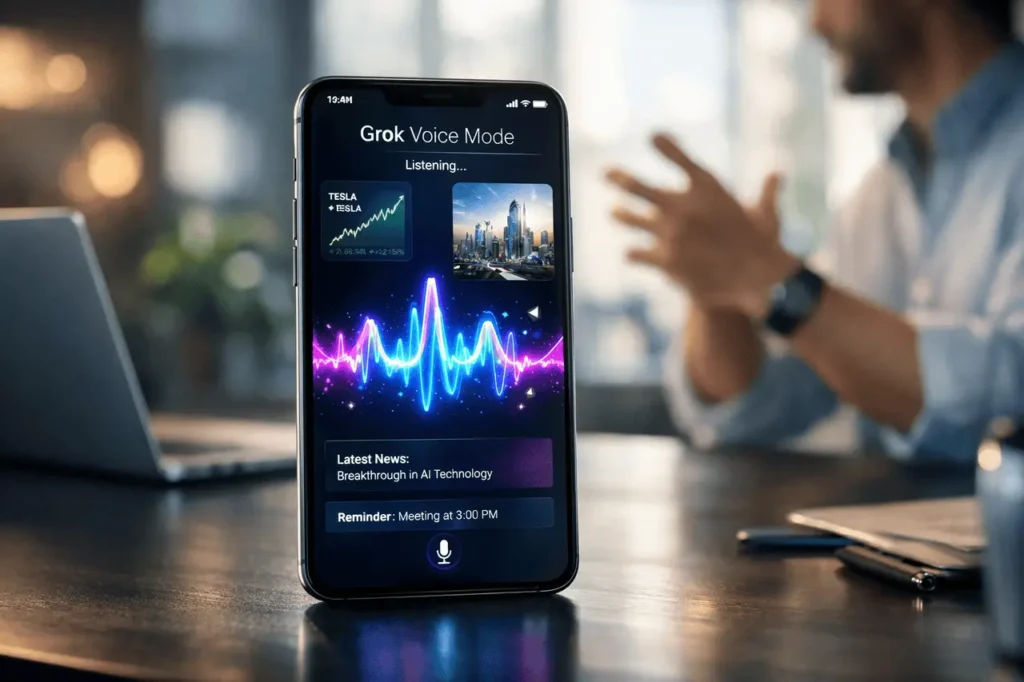
Grok’s voice mode provides the full capabilities of conversational AI through a spoken interface, allowing customers to pose questions hands-free while still enjoying the same visually rich interface as in normal chat mode. It was designed to be flexible and accessible. It allows seamless switching between typing and speaking without sacrificing context or screen information.
Created in collaboration with xAI, Grok is integrated into the X ecosystem. X offers real-time chat powered by a sophisticated, large-scale language model. Voice mode expands that capability to an improved, natural interaction layer.
This article explains the details of Grok voice mode, including how it functions, why it is important, and where it fits into the ever-changing world of artificial intelligence assistants.
What Is Grok Voice Mode?
Grok voice mode is a voice-enabled interface that lets users interact with Grok using natural voice commands instead of typing. Although many AI assistants have voice capabilities, Grok voice mode differentiates itself by maintaining:
- Similar detailed response as text chat
- visually structured outputs (lists of explanations, lists, structured answers)
- Context continuity throughout multi-turn conversations
Instead of reducing the number of responses to voice-only playback, Grok maintains the full depth of information users are used to from modern AI chat applications.
Why Grok Voice Mode Matters?
Voice interaction is now the primary interface for computing. People increasingly depend on:
- Hands-free communication
- Mobile-first workflows
- Accessibility options
- Multitasking environments
Grok’s voice mode complies with these trends by providing:
- Immediate verbal input
- Structured visual responses
- Persistent conversation history
It reduces the friction that occurs when typing is difficult while maintaining clarity and depth.
How Grok Voice Mode Works?
Grok Voice mode works via three main layers:
1. Speech-to-Text Processing
When a person speaks, the system converts the audio to text using automated speech recognition (ASR). This guarantees a precise understanding of natural language questions.
2. AI Language Model Processing
Grok’s vast language model processes the transcription. It creates responses based on:
- Context from messages before it
- Real-time data capabilities
- Natural language reasoning
3. Visual Output Rendering
Instead of prompting a simple response that is only spoken, Grok displays:
- Formatted explanations
- Bullet lists
- Structured comparisons
- Code snippets if necessary
Users can continue to interact using voice or return to the text.
Feature Comparison Table
Here is a simplified comparison of traditional messaging with Grok Voice mode
| Feature | Text Chat | Grok Voice Mode |
|---|---|---|
| Input Method | Keyboard | Spoken voice |
| Visual Output | Yes | Yes |
| Multi-turn Context | Yes | Yes |
| Hands-Free Use | No | Yes |
| Accessibility Support | Moderate | High |
| Mobile Convenience | Moderate | High |
Grok voice mode does not replace chat; it enhances it.
Key Benefits of Grok Voice Mode
1. Hands-Free Productivity
Users can be asked questions during:
- Driving (where it is allowed and secure)
- Cooking
- Exercising
- Walking
- Multitasking at work
It helps to improve workflow efficiency without interfering with other tasks.
2. Accessibility Enhancement
Voice mode is available to people who
- Are you experiencing mobility issues?
- Experience typing fatigue
- Audio interaction is preferred.
Maintaining its visual structures helps balance the preferences for visual and auditory learning.
3. Context Retention
In contrast to simple voice assistants, which provide short responses, Grok maintains:
- Deep conversation history
- Threaded reason
- Complex query handling
It allows it to be used for brainstorming, research, and solving problems.
4. Visual Richness Preserved
Many voice interfaces limit responses to short, spoken synopses. Grok voice mode keeps:
- Structured responses
- Tables
- Logical breakdowns
- Multi-step explanations
Users can review information on-screen after speaking.
Use Cases by Scenario
| Scenario | How Grok Voice Mode Helps | Benefit |
|---|---|---|
| Quick Research | Ask complex questions verbally | Faster information access |
| Learning | Request explanations hands-free | Improved engagement |
| Technical Work | Dictate coding questions | Reduced typing fatigue |
| Travel | Ask location-based queries | Real-time convenience |
| Brainstorming | Speak ideas naturally | Creative flow enhancement |
Practical Considerations
Although Grok voice mode provides many advantages, it is worth considering:
Internet Dependence
Voice interaction requires a reliable connection for speech recognition and AI processing.
Background Noise Sensitivity
As with any other speech recognition system, their accuracy can be affected in noisy situations.
Privacy Awareness
Voice input is a way to transmit audio data to the platform for transcribing and analysis. Users must be aware of the platform’s privacy policies.
How Grok Voice Mode Compares to Traditional Voice Assistants?
The traditional voice assistant usually:
- Provide short, single-turn answers
- Limit response complexity
- Emphasize command execution
Grok voice mode focuses more on:
- Conversational intelligence
- Contextual reasoning
- In-depth explanations
- Structured knowledge output
It is more like an actual conversational AI than an agent that can be controlled.
Limitations and Challenges
The existence of an AI voice interface comes without limitations. Grok voice mode may face:
- Occasional transcription errors
- Latency depends on network speed
- The difficulty of interpreting accents or speech that overlaps
These are the biggest challenges facing the industry in speech-based AI systems.
The Role of Voice in AI Evolution
Voice interaction is an evolution towards:
- More natural computing interfaces
- Reduced device friction
- AI integrated into daily routines
Multimodal AI systems that incorporate text, voice, and visual output are likely to become the norm rather than the exception.
Grok’s voice mode reflects this shift by incorporating spoken input without sacrificing quality.
My Final Thoughts
Grok’s voice-based mode enables conversational AI to an easy-to-use, speech-driven interface, without sacrificing depth of information. It provides the same rich visual experience as text chat and can bridge the gap between simplicity and complexity.
The incorporation of speech recognition, context AI reasoning, and structured outputs reflects the overall advancement of multimodal AI systems. As voice is becoming a popular method of interaction, platforms that retain the clarity and depth of speech will be the future Generation of AI assistants.
Grok’s voice mode marks a significant step in that direction, in which natural conversation connects with the rigors of intelligence.
Frequently Asked Questions (FAQs)
1. What exactly is Grok voice mode for?
Grok’s voice mode lets users conversationally answer questions without typing, while receiving precise, organized answers on-screen.
2. Does Grok’s voice mode provide less information than chat in text?
No. It offers the same visually rich and precise responses as the standard Grok chat, while preserving the format and context.
3. Can I switch between voice and typing during a conversation?
Yes. Conversations continue seamlessly, and users can switch between text and voice input without losing context.
4. Is Grok voice mode available on mobile devices?
Voice capabilities are particularly designed for mobile usage, as typing can be difficult. It depends on the platform’s support within the X ecosystem.
5. Does Grok voice mode store my voice recordings?
Voice input is used to aid in recording and generating a response. Users should review the policy and privacy options to learn how data is handled.
6. How precise can you be? Grok speech recognition?
Accuracy is influenced by factors such as microphone quality, background noise, and speech clarity. Performance is consistent with current speech recognition technology.
Also Read –
Grok Imagine: Video API, MCP Integrations and CI Fixer Explained